Game Configurations
Project CARS Series (1/2/3)
1. Game Installation
Install the game through official platforms such as Steam. If the game is installed in a custom location, configure the Project CARS installation directory in the game list in MOZA Pit House.
2. Force Feedback Setup
Once the device mappings are configured correctly, launch the game to experience force feedback.
3. Telemetry Setup
3.1 One-Click Setup
Locate the Project CARS icon in the MOZA Pit House game list and click Configure. Once configuration is complete, the game icon will display Configured. If configuration cannot be completed, please refer to the manual setup instructions below.
3.2 Manual Setup
Project CARS 2 / Project CARS 3:
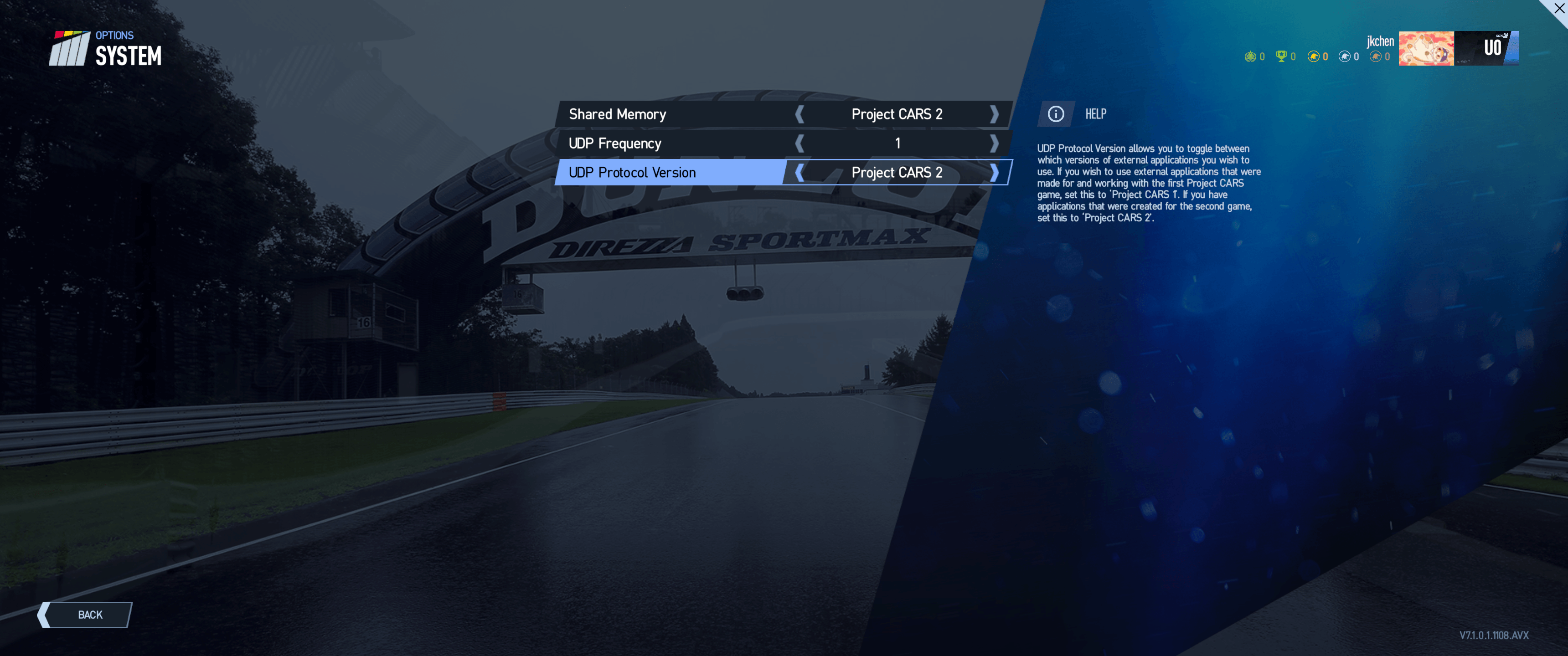
Launch the game and navigate to Settings/Options → System, then configure the following:
- Shared Memory: Project CARS 2
- UDP Frequency: 1
- UDP Protocol Version: Project CARS 2
Project CARS 1:
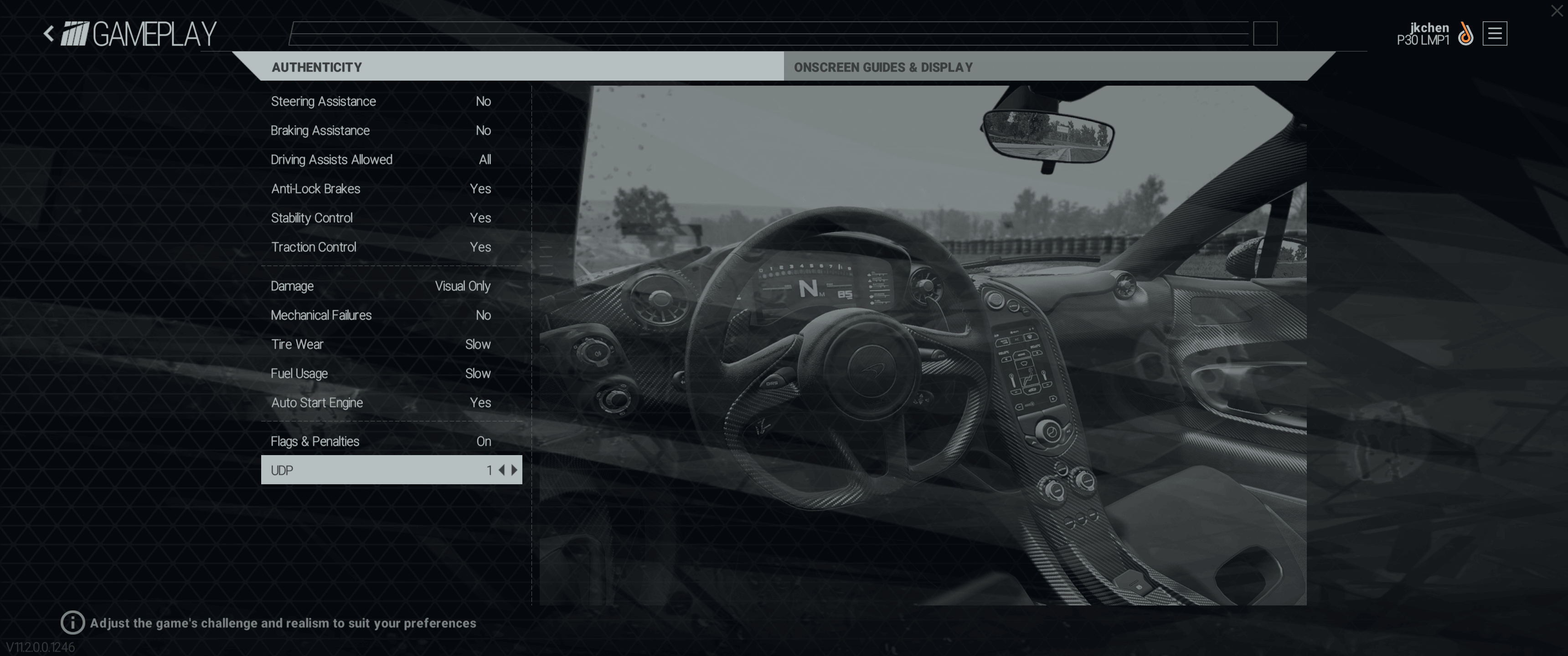
Launch the game and navigate to Options & Help → Gameplay. Set the UDP Port to 1 to enable telemetry data output.
4. Device Control Mapping
Project CARS 2 / Project CARS 3
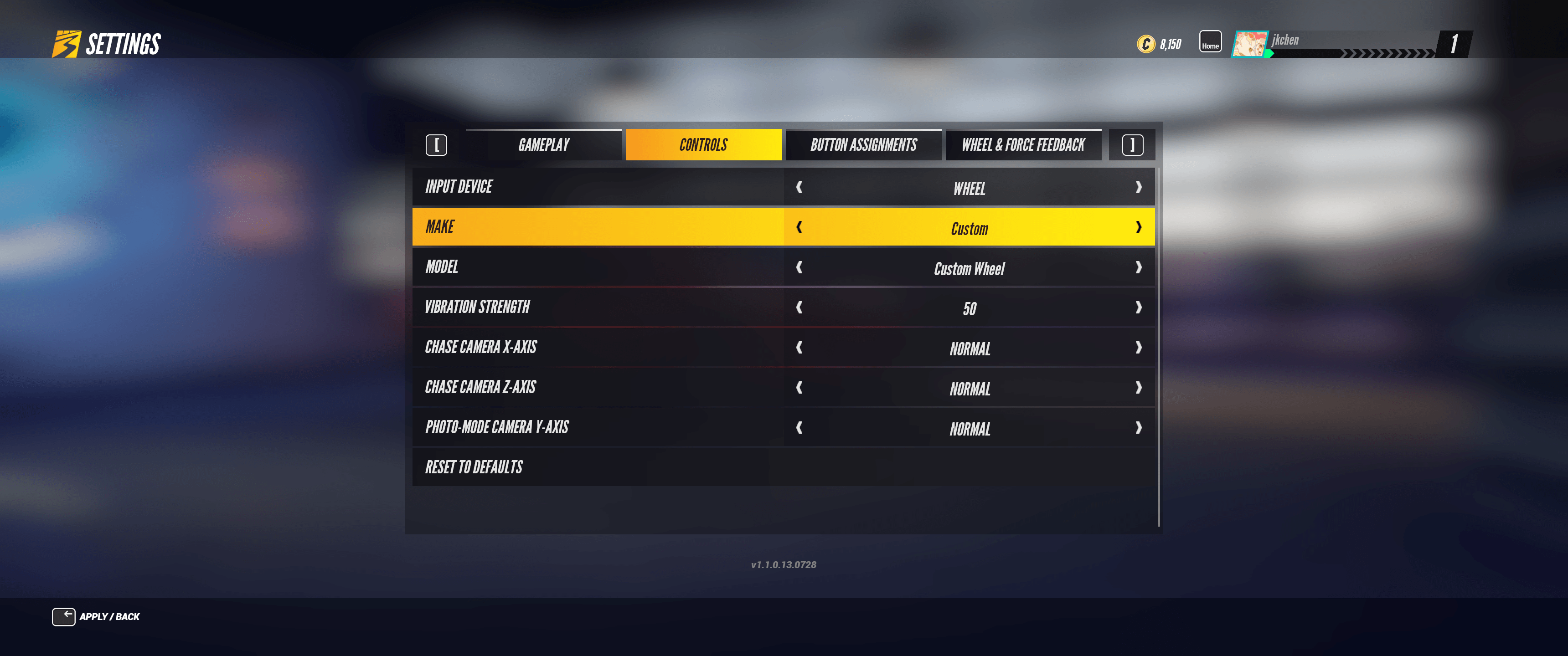
Control mapping is required when launching the game for the first time. In Project CARS 3, navigate to Settings → Controls. For Project CARS 2, navigate to Options → Controls. Set the input device to Wheel, select Custom as the configuration, ensure the model is shown as Custom Wheel, and set the pedal type to Combined.
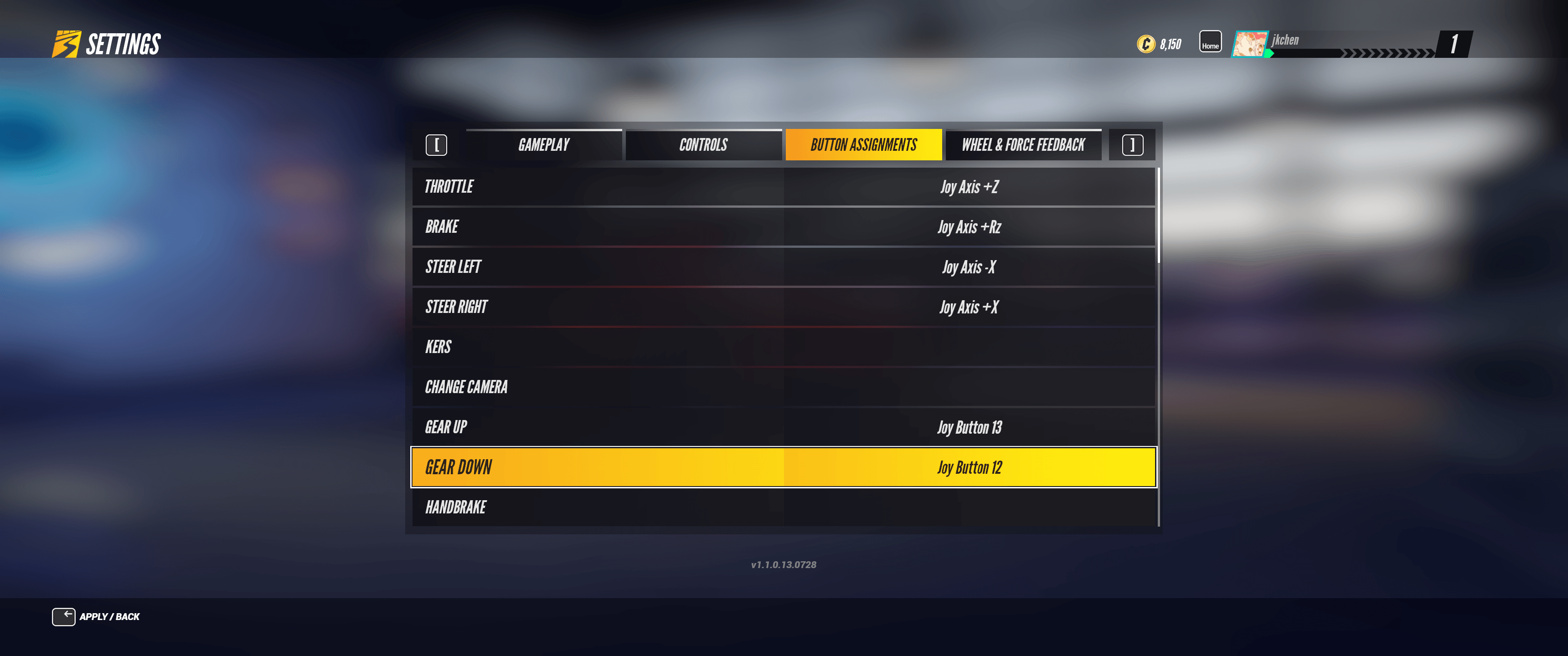
Then, under button mapping, assign the appropriate axes or buttons for steering, throttle, brake, upshift, downshift, and other controls. Once completed, you can start playing.
Project CARS 1
First, navigate to Options & Help → Controls and select Custom Wheel as the input control device.
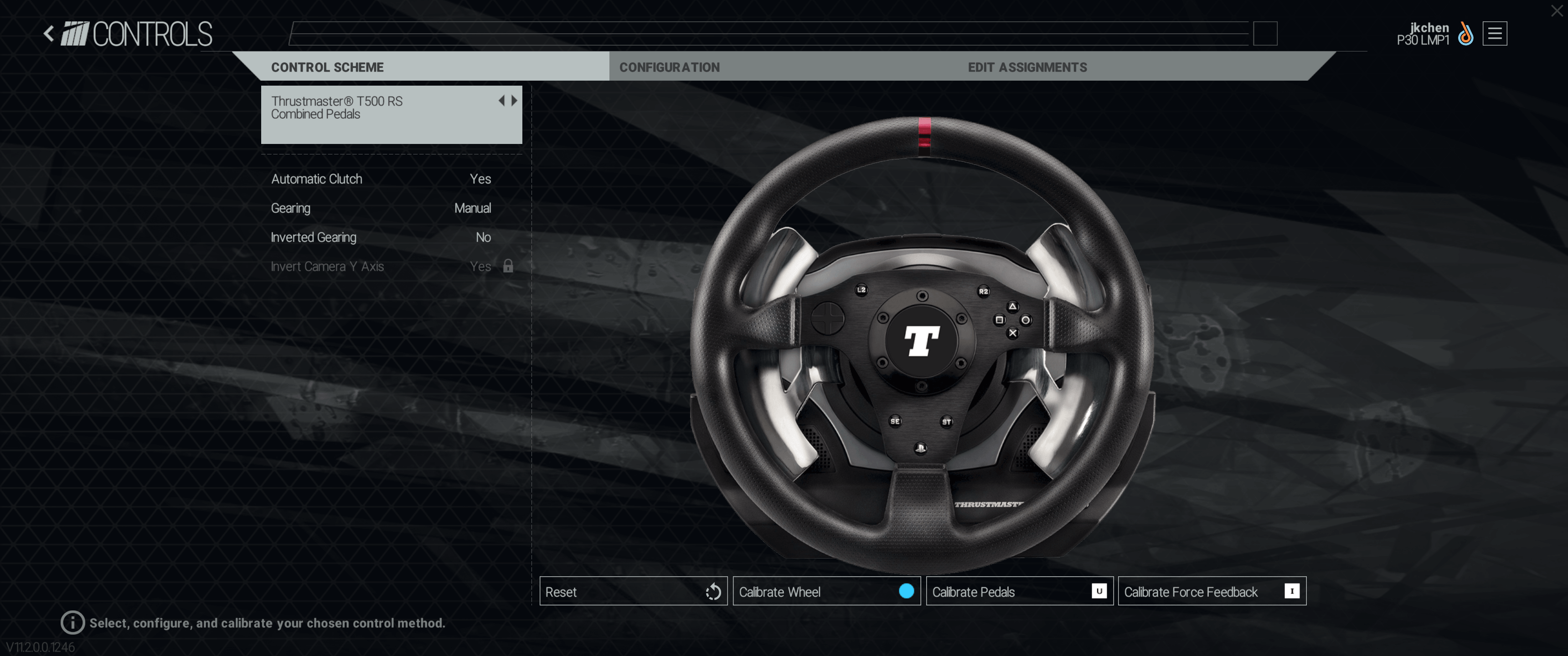
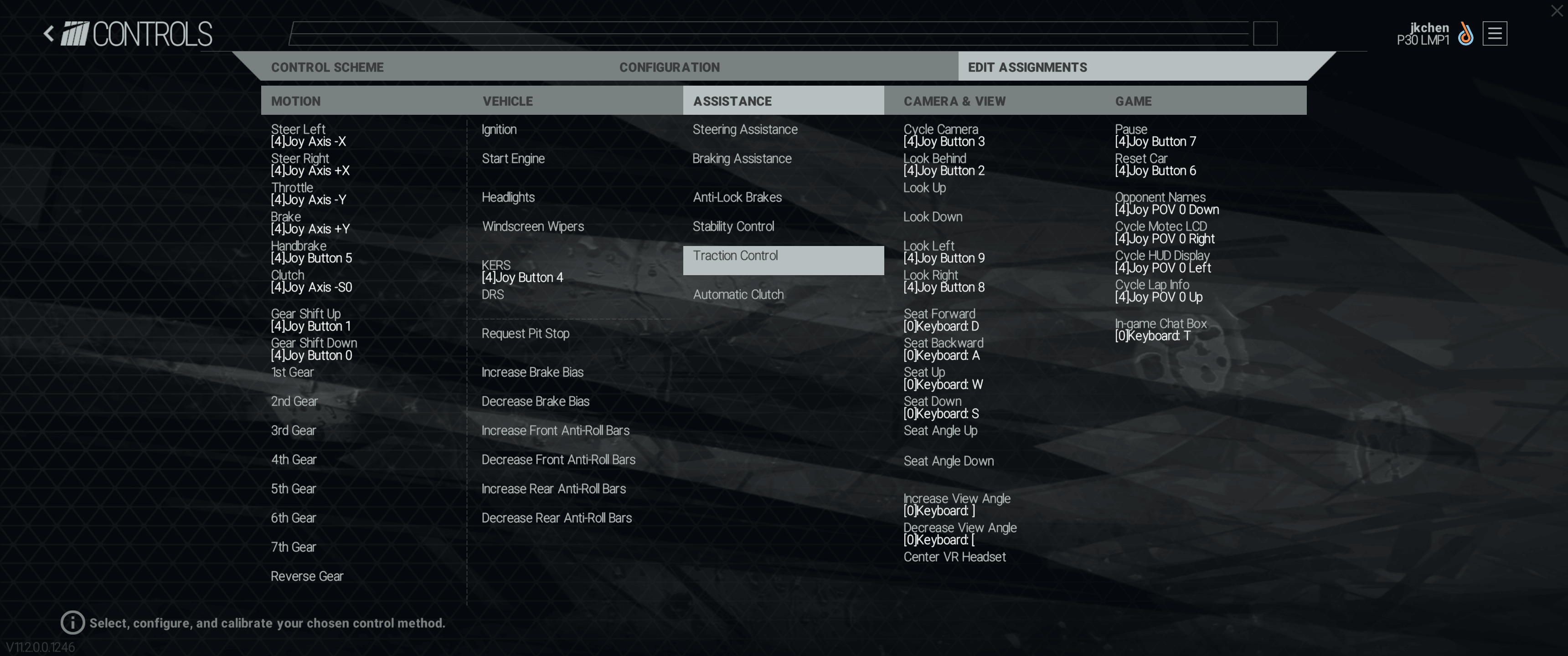
Then, under EDIT ASSIGNMENTS, assign the appropriate axes or buttons for steering, throttle, brake, upshift, downshift, and other controls. Once completed, you can start playing.
Was this article helpful?
That’s Great!
Thank you for your feedback
Sorry! We couldn't be helpful
Thank you for your feedback
Feedback sent
We appreciate your effort and will try to fix the article