Getting Started & Installation
AI Motion Function Introduction and Usage instructions
1. AI Motion Brief Introduction
1.1 What is AI Motion
AI Motion is an audio-visual recognition AI model independently developed by MOZA. It can analyze game images and sounds in real time, recognize game scenes such as character movements, weapon firing, riding and driving, and output corresponding motion feedback through HMA 150.
Image recognition: AI Motion analyzes the game screen in real time, automatically captures the character images in the game screen, and recognizes the current character's motion postures such as walking, running, jumping and sneaking, etc. Furthermore, AI Motion can recognize other key in-game scenarios and activities, such as horse riding, vehicle driving, broom flying, etc., helping players obtain a richer gaming experience.
Audio recognition: AI Motion monitors game audio in real time, automatically collects and analyzes the audio of gun firing in the game, recognizes the weapons used by the current character such as machine guns, pistols, rocket launchers, etc., and supports players to experience to distinct haptic feedback tailored to each type of weapons.
Supported Games
"Elden Ring", "Cyberpunk 2077", "Red Dead Redemption 2", "Grand Theft Auto V", "Black Myth: Wukong", " Palworld ", "The Witcher 3", "Hogwarts Legacy", "Helldivers 2"
1.2 AI Motion supports recognized actions
1.2.1 Character Movement
| Action | Effect descriptions | Represents game scene |
| Move | Follow the changes in the character's gait to present the rhythm during the movement process. | Open-world walking exploration in games such as "The Elden Ring" and "The Witcher 3". |
| Jump | Show the sensory experience of the movement changes around the action stages such as take-off, flight and landing phases. | The character's takeoff and landing when jumping over obstacles. |
| Crouch | When a character lowers their center of gravity or changes their posture, display corresponding feedback showing the change in posture. | The transformation of characters from standing posture to crouching posture. |
| Sprint | Show a more distinct movement rhythm as the character accelerates forward. | The transition from normal speed movement to accelerated sprinting. |
| Prone | As the character transitions from a standing position to a prone position, the game provides feedback indicating that the center of gravity has shifted downward. | The transformation of characters from standing and other postures to prone posture in " Helldivers". |
| Glide | Dynamic feedback of flight movements is displayed as the character moves and changes posture in the air. | The flight and posture adjustment of characters in the air in " Palworld ". |
1.2.2 Attack Effect
| Type of Action | Effect Descriptions | Represents game scene |
| Waving and chopping | With the swinging and attacking movements of close-range weapons, the rhythm and impact feedback of the actions are presented. | Palworld- Close-range Weapon Attack |
| Charge attack | The changes and release process of the actions related to the charged attacks are presented to show the feedback, allowing you to feel the rhythm and impact of the charged release. | Black Myth: Wukong-Charged Attack |
| Point shooting | During single or short bursts of firing, it delivers a short and clear shooting rhythm and impact feedback. | Grand Theft Auto Ⅴ-Firing |
| Continuous firing | During sustained fire, the continuous feedback follows the rhythm of the bursts, allowing you to feel the dynamic rhythm of sustained fire. | Grand Theft Auto Ⅴ-Firing |
| Spell casting | When the character casts a spell, the action sensation and magical effect are presented. | Hogwarts Legacy- Spellcasting Skill |
| Weapon Skill | Depending on the type of weapon used by the character, different attack action rhythms and attack effects are presented. | Elden Ring - Weapon Skill |
| Prayer | As the character performs a prayer gesture, the corresponding motion feedback and prayer effects are displayed. | Elden Ring-Prayer |
1.2.3 Riding and driving scenarios
| Action | Action Effect | Supported Games |
| Horse riding | Reflect the rhythm and ups and downs of the horse's walking and running. | Elden Ring、The Witcher 3、RDR |
| Pal riding | Reflect the movement changes of Paru when moving on land, walking in water and flying in the air. | Palworld |
| Flying mount | Reflect the changes in posture of brooms or flying mounts while in flight. | Hogwarts Legacy、Palworld |
| Vehicle driving | Follow the vehicle's movement, reflecting the effects of acceleration, deceleration and turning effects. | Cyberpunk 2077 |
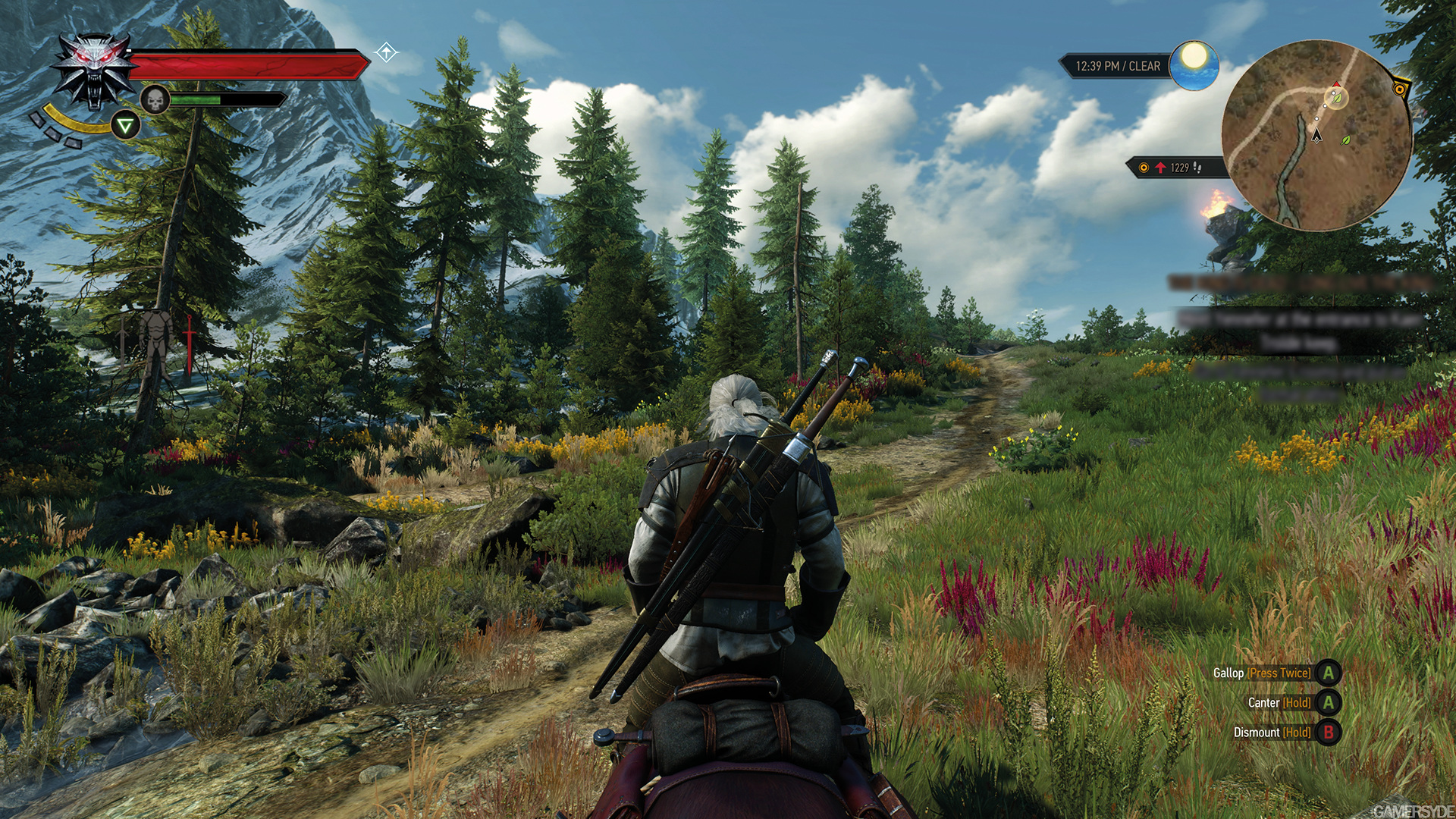
Figure 1: In-game screenshot of horse riding in "The Witcher 3"
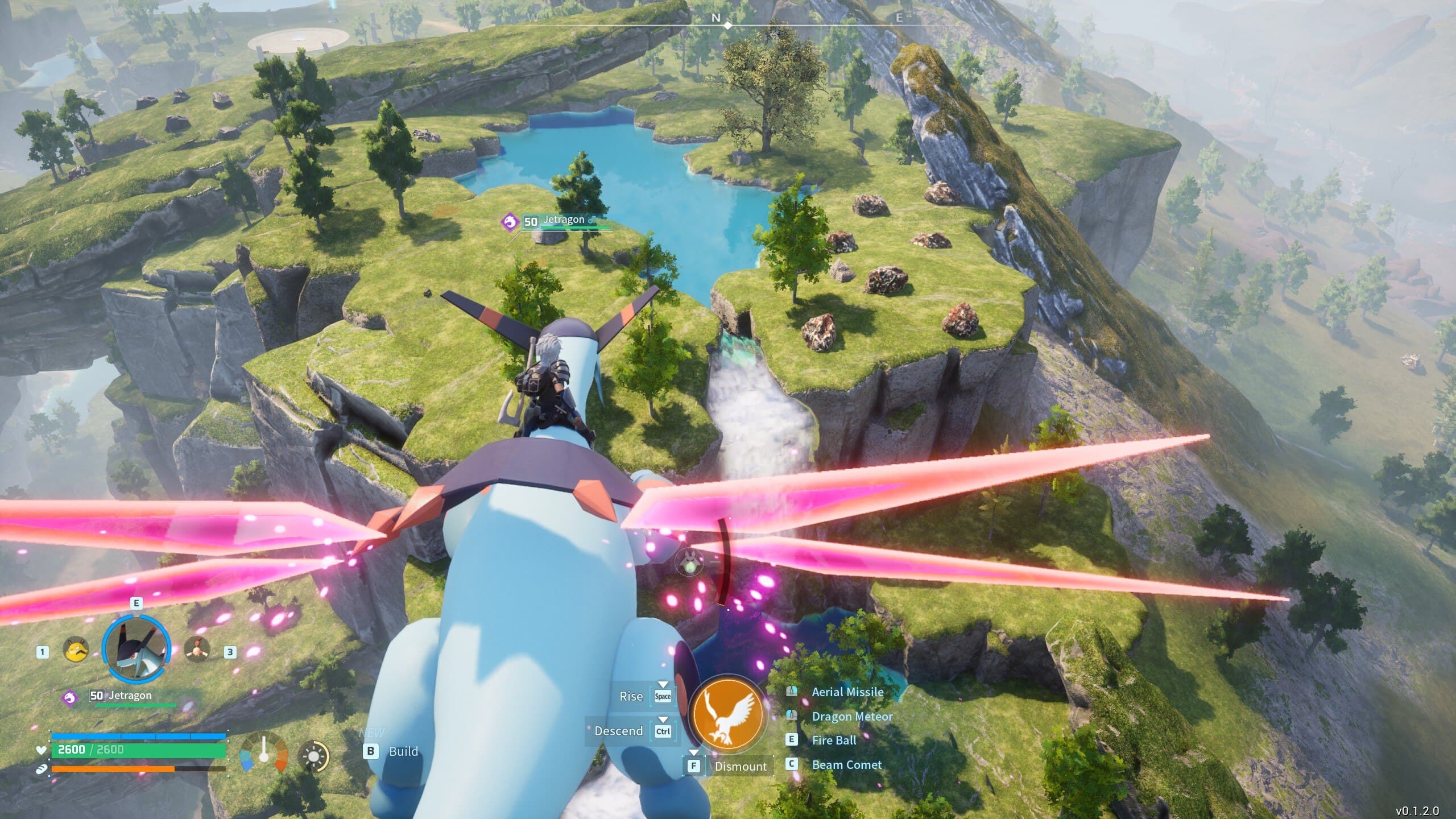
Figure 2: In-game screenshot of riding a flying Pal in“Palworld”
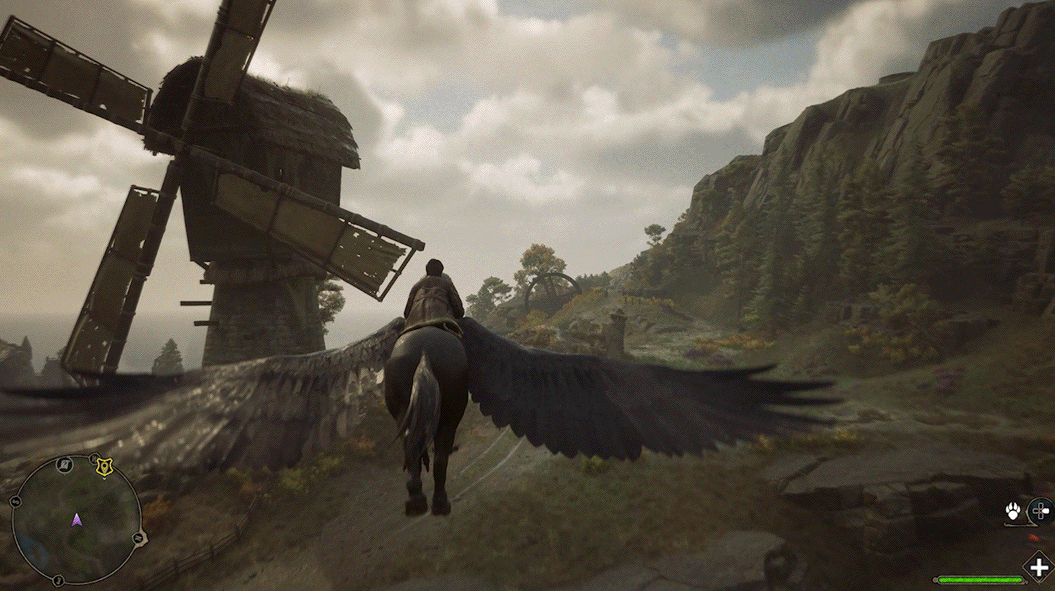
Figure 3: In-game screenshot of a player riding a flying beast in “Hogwarts Legacy”
2. AI Motion Installation and Usage
2.1 Installation Procedure
Step 1: Configure the game
After the game is installed, open Motion Manager and enter the [Game Library]. Check if the game path configuration is correct. (If the software fails to recognize the game path, please configure it first.)
Step 2: Install the AI Motion model
Click on "Install AI Model” and wait for the model to be downloaded and installed. After the installation is complete, you can start the game on this page to experience and debug the motion effects of AI Motion.
2.2 Usage and Updates
When you launch AI Motion for the first time and enter the game, you can refer to the "Support Events" of the game to view the available motion effects that you can experience.
Users can adjust the output intensity of specific motion effects via the preset adjustment page in Motion Manager, based on their personal adaptation level and motion preferences.
When a new version of an AI Motion model becomes available, MOZA Motion Manager will display an update notification. Click the update button within the notification and wait for the new model version to download and install.
3. Possible Issues and Solutions
Q: What should I do if the model fails to download or update?
Q:What should I do if I encounter the "Requires authorization to start AI Motion" pop-up?
Q:What should I do if an "Offline Monitoring Mode" notification pop-up appears?
Q:What should I do if AI Motion becomes unresponsive after entering a game?
- Return to MOZA Motion Manager and check for any pending authorization requests. If any exist, follow the on-screen prompts to complete the authorization.
- Once all authorizations have been granted, check the "Supported Events" for the current game to confirm that the action you are testing is included.
- Verify that the corresponding motion effect is enabled, then return to the game and try again.
- If AI Motion still fails to respond after retrying, please submit an error report.
Was this article helpful?
That’s Great!
Thank you for your feedback
Sorry! We couldn't be helpful
Thank you for your feedback
Feedback sent
We appreciate your effort and will try to fix the article