Racing Lab
Game Settings Required for AI Driving
Before enabling AI Driving, verify the following Pit House settings for all supported games:
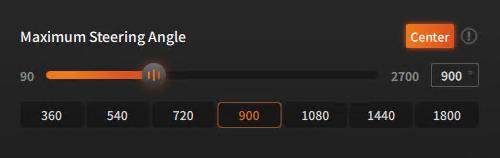
1. In Pit House, set Maximum Steering Angle to 900°.
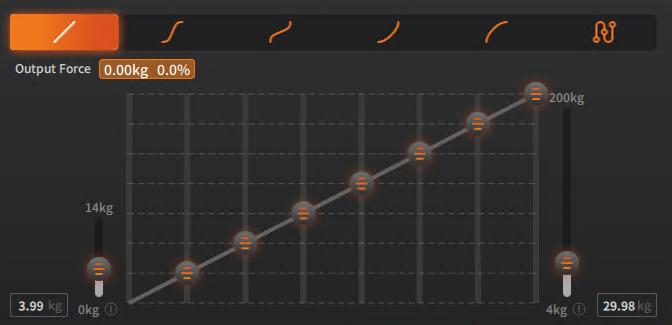
2. Set the pedal response curves as close to linear as possible, and make sure Invert is disabled.
Before using AI Driving in AC:
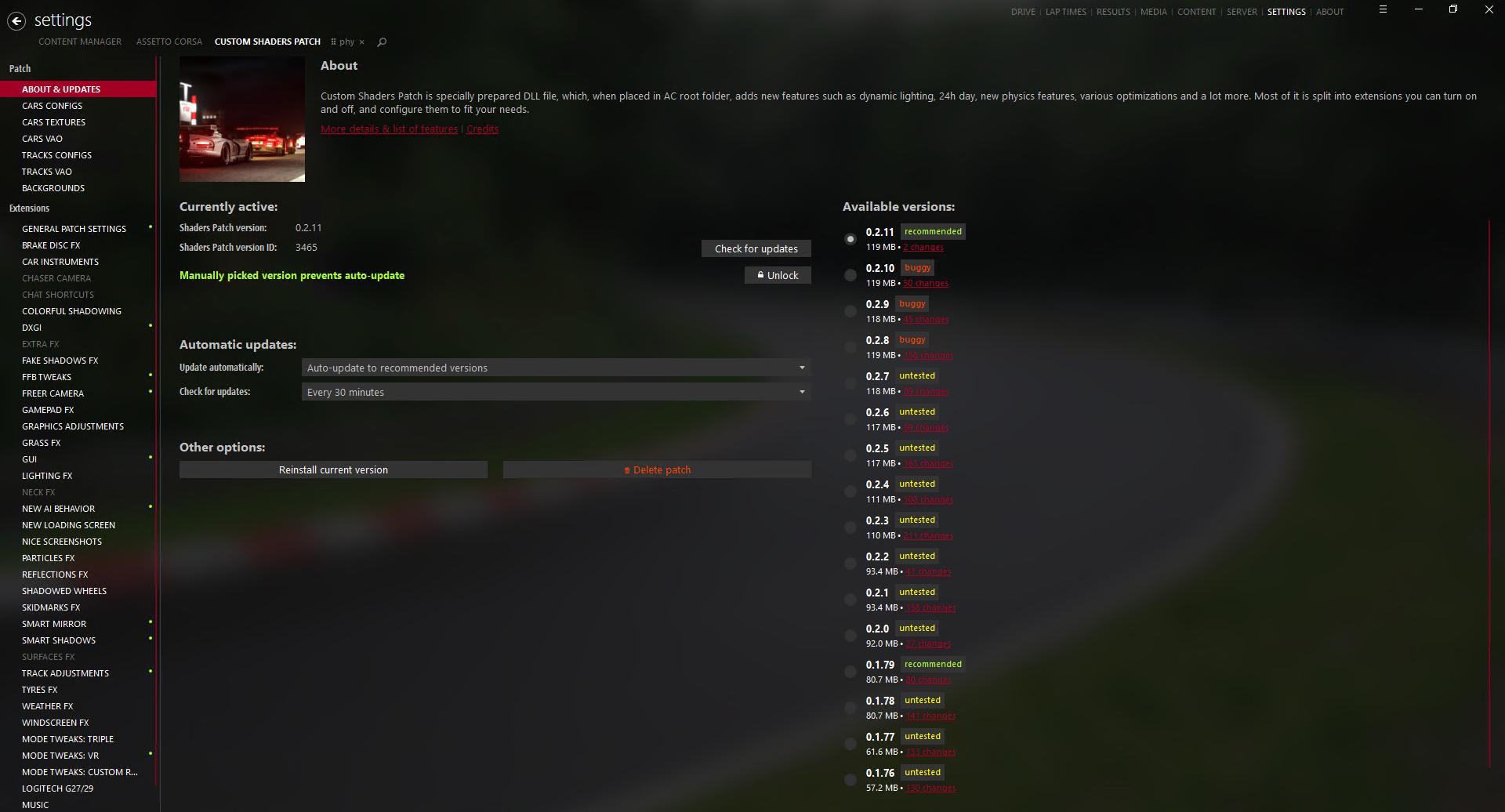
1. Before using AI Driving in AC, make sure Content Manager is installed and the latest version of Custom Shaders Patch (CSP) is installed under Settings.
2. In Content Manager's control settings, make sure the steering, throttle, brake, and gear-shift inputs are all assigned to MOZA devices.
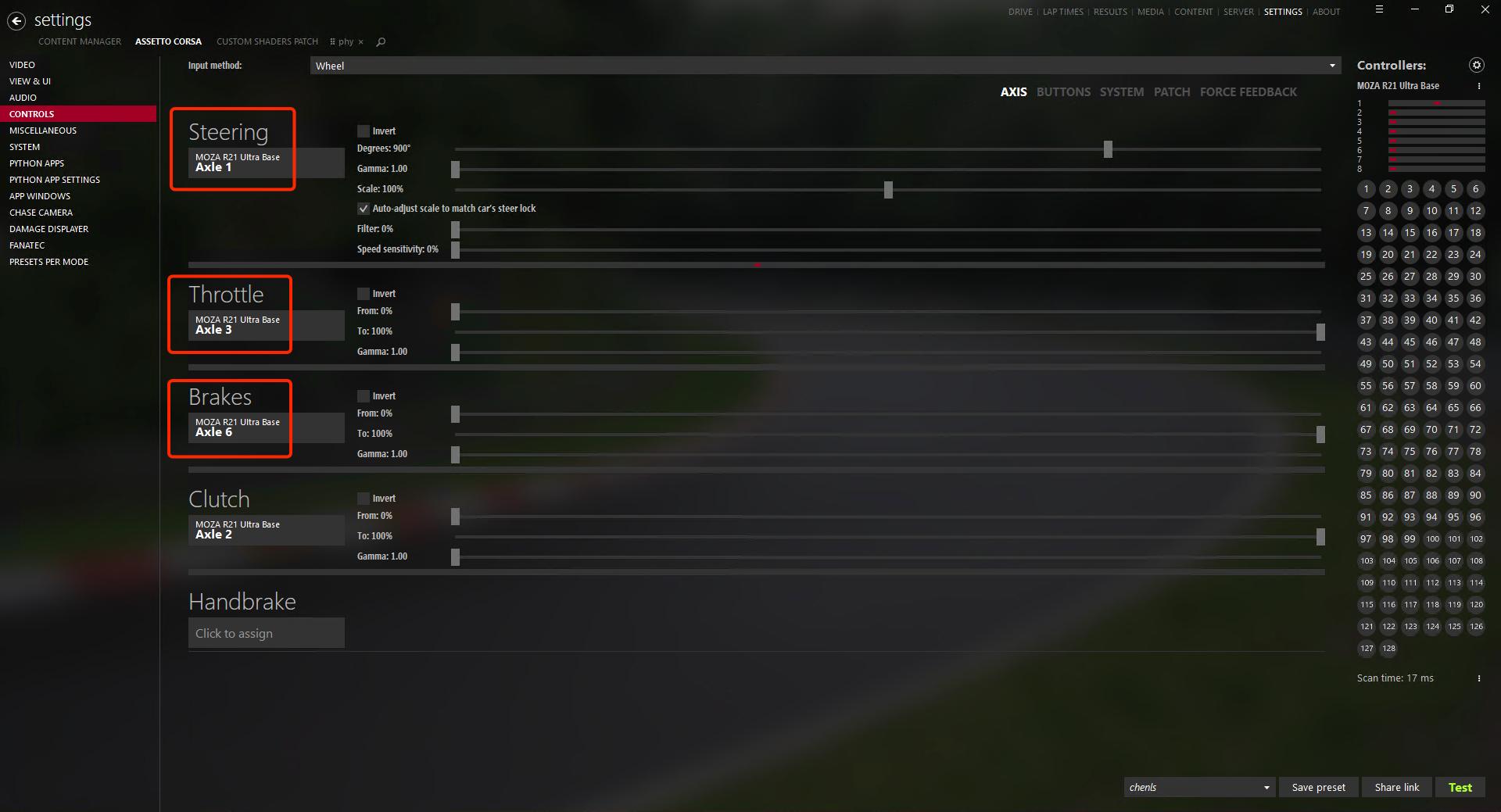
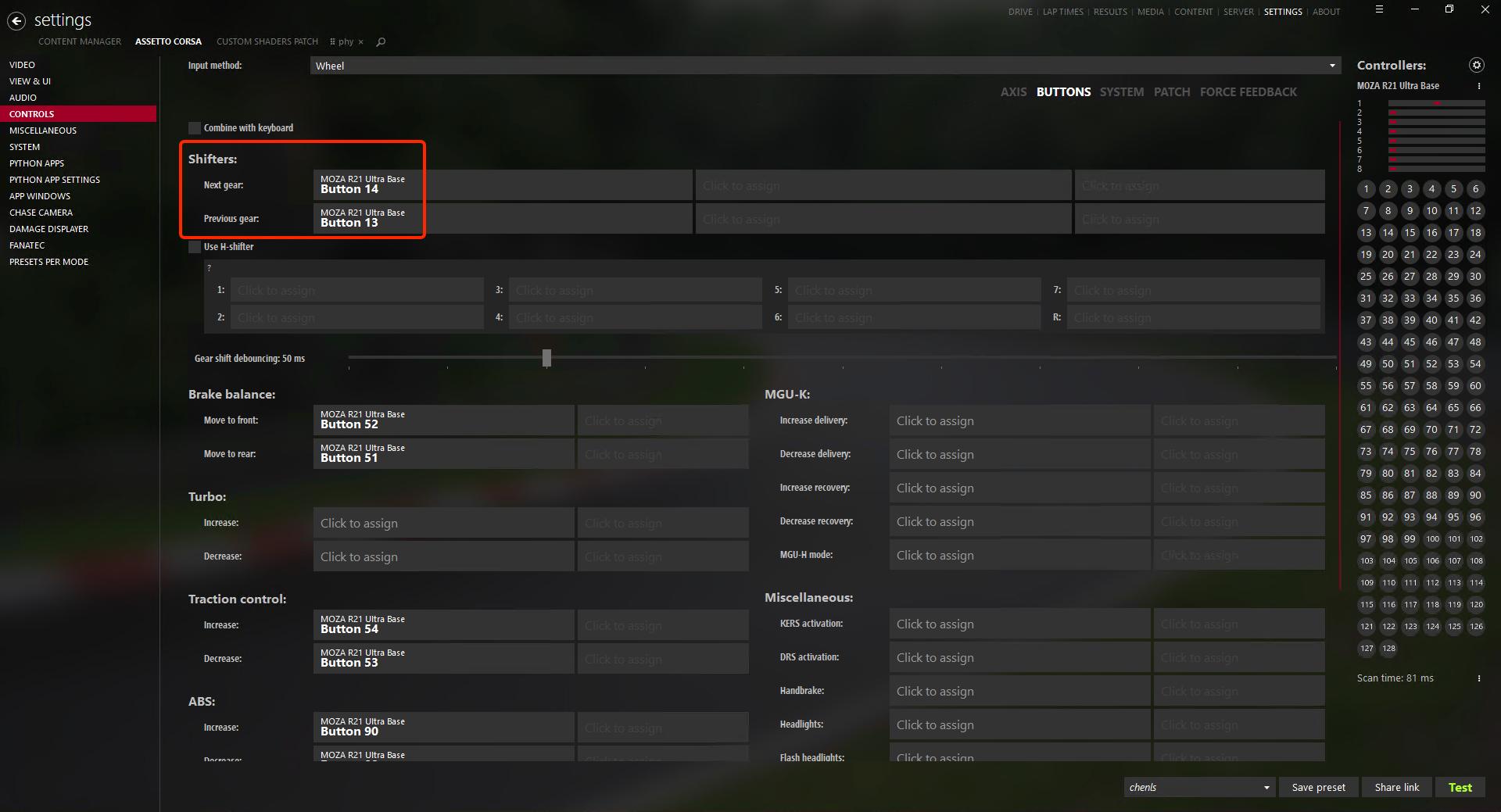
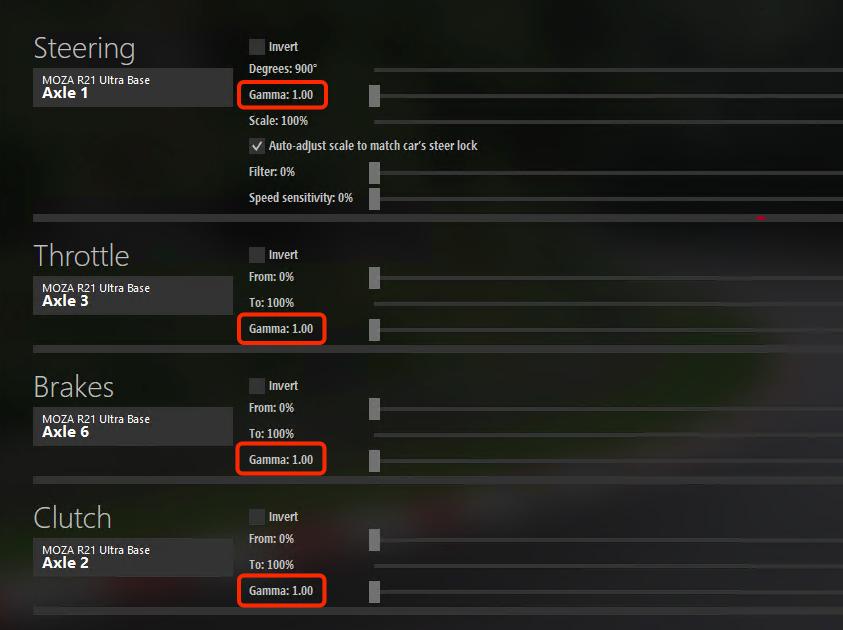
3. In Content Manager's control settings, set Gamma to 1.00 for the steering, throttle, and brake axes.
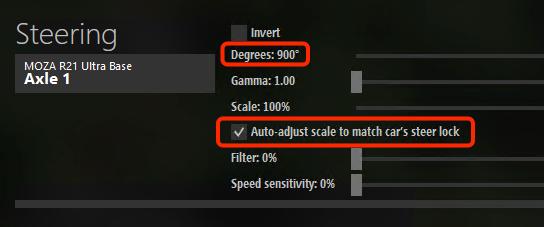
4. In Content Manager's control settings, set steering degrees to 900° and enable "Auto-adjust scale to match car's steer lock."
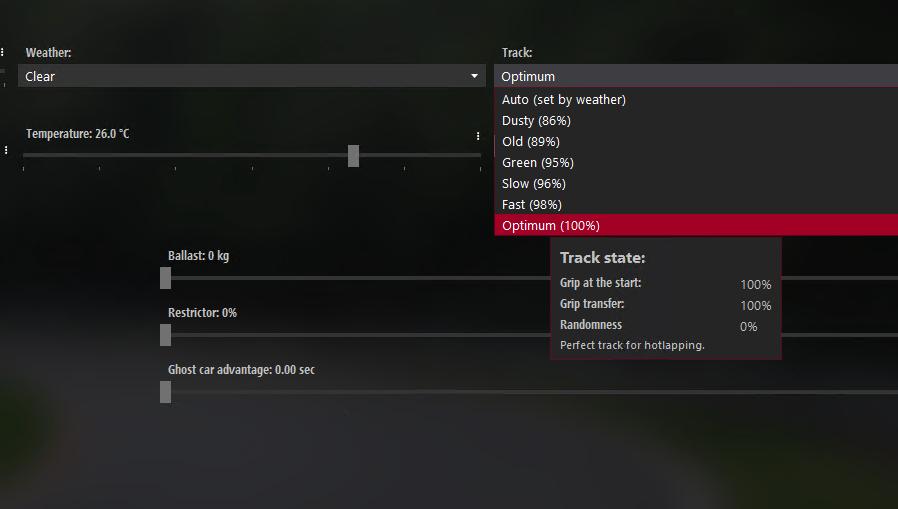
5. On Content Manager's main screen, set Track Grip to Optimum.
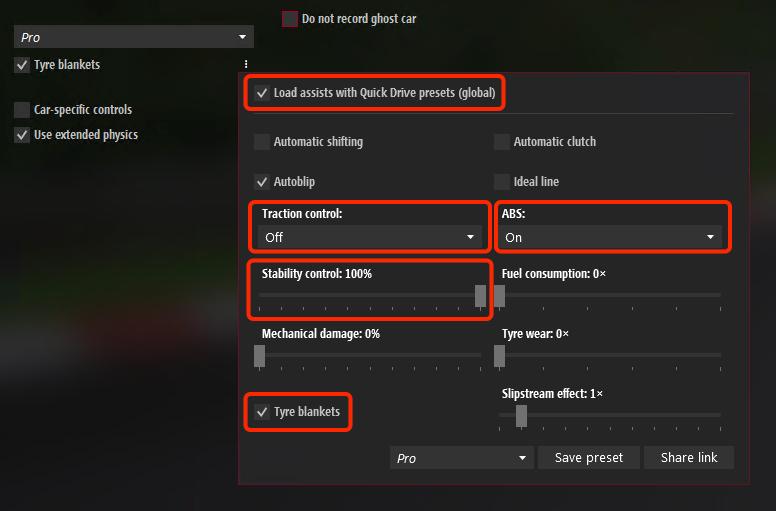
6. Under Assists on Content Manager's main screen, enable Tyre Blankets, set Traction Control to Off, ABS to On, and Stability Control to 100%.
Before using AI Driving in ACC:
1. In Controls, make sure the steering, throttle, brake, and gear-shift inputs are all assigned to MOZA devices.
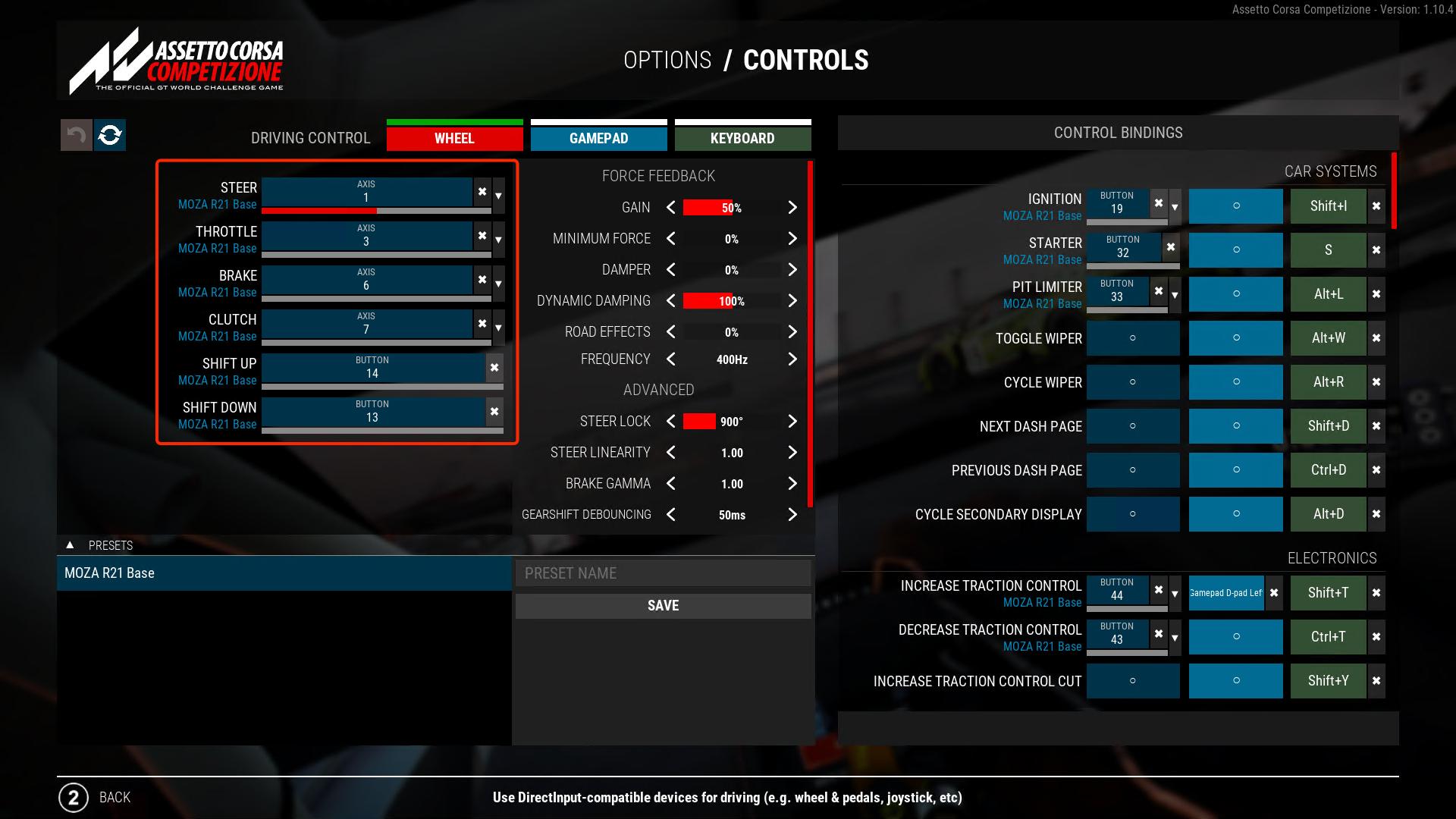
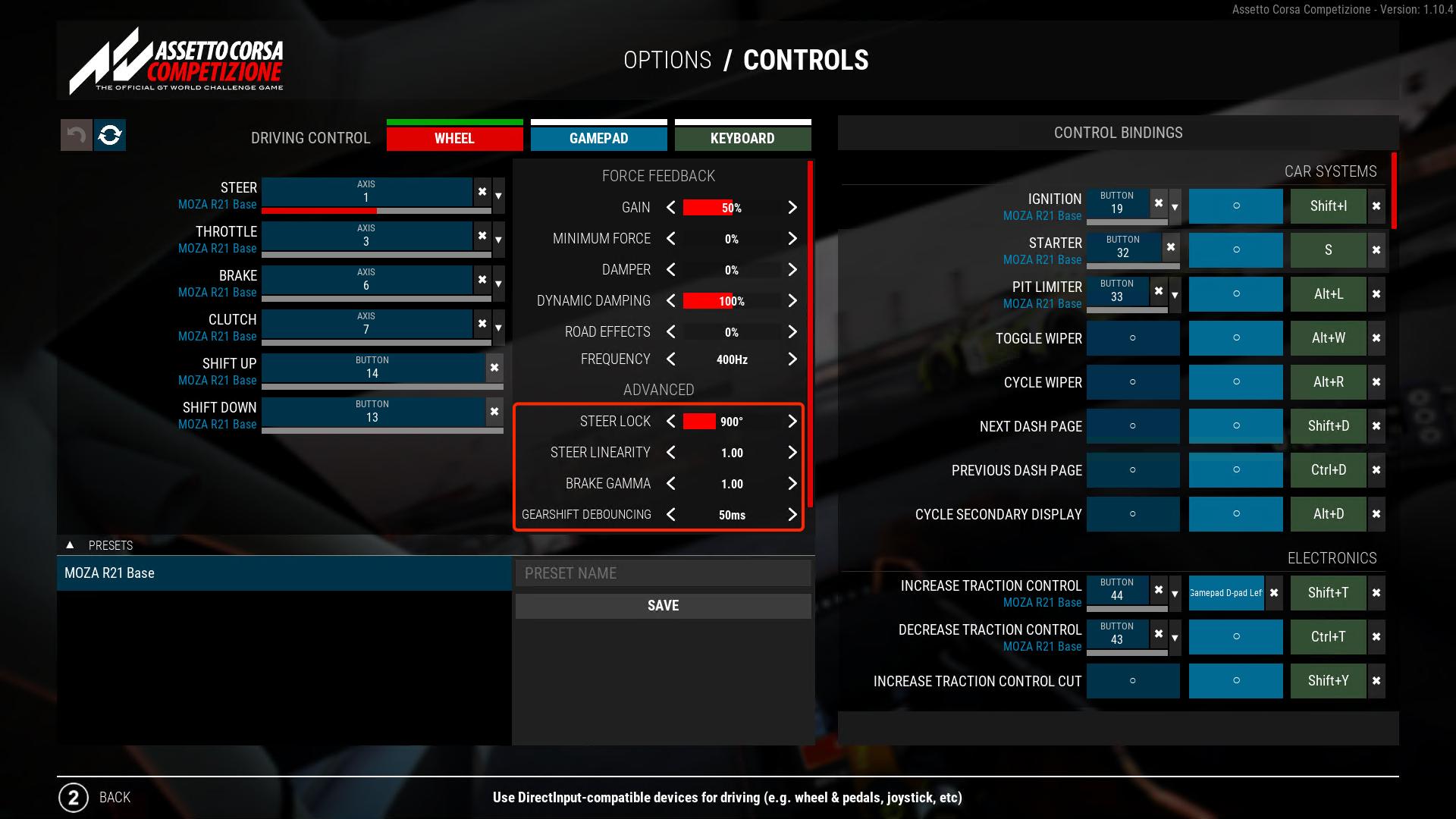
2. Set Steer Lock to 900°.
3. Set Steer Linearity to 1.00 and Brake Gamma to 1.00.
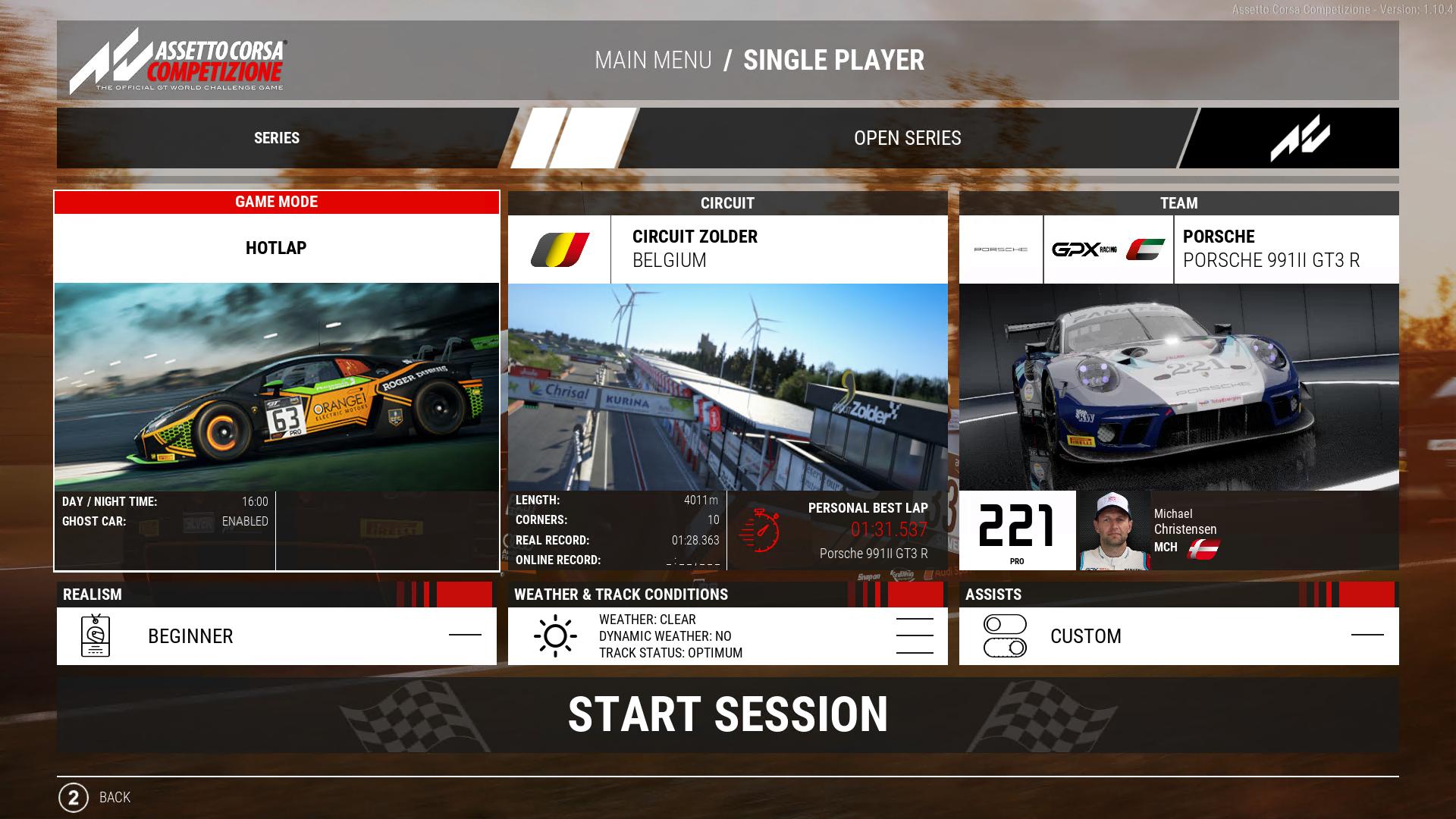
4. HOTLAP mode is recommended, as it lets you enable AI Driving without first manually driving out of the pit lane. (AI Driving cannot currently handle the pit lane.)
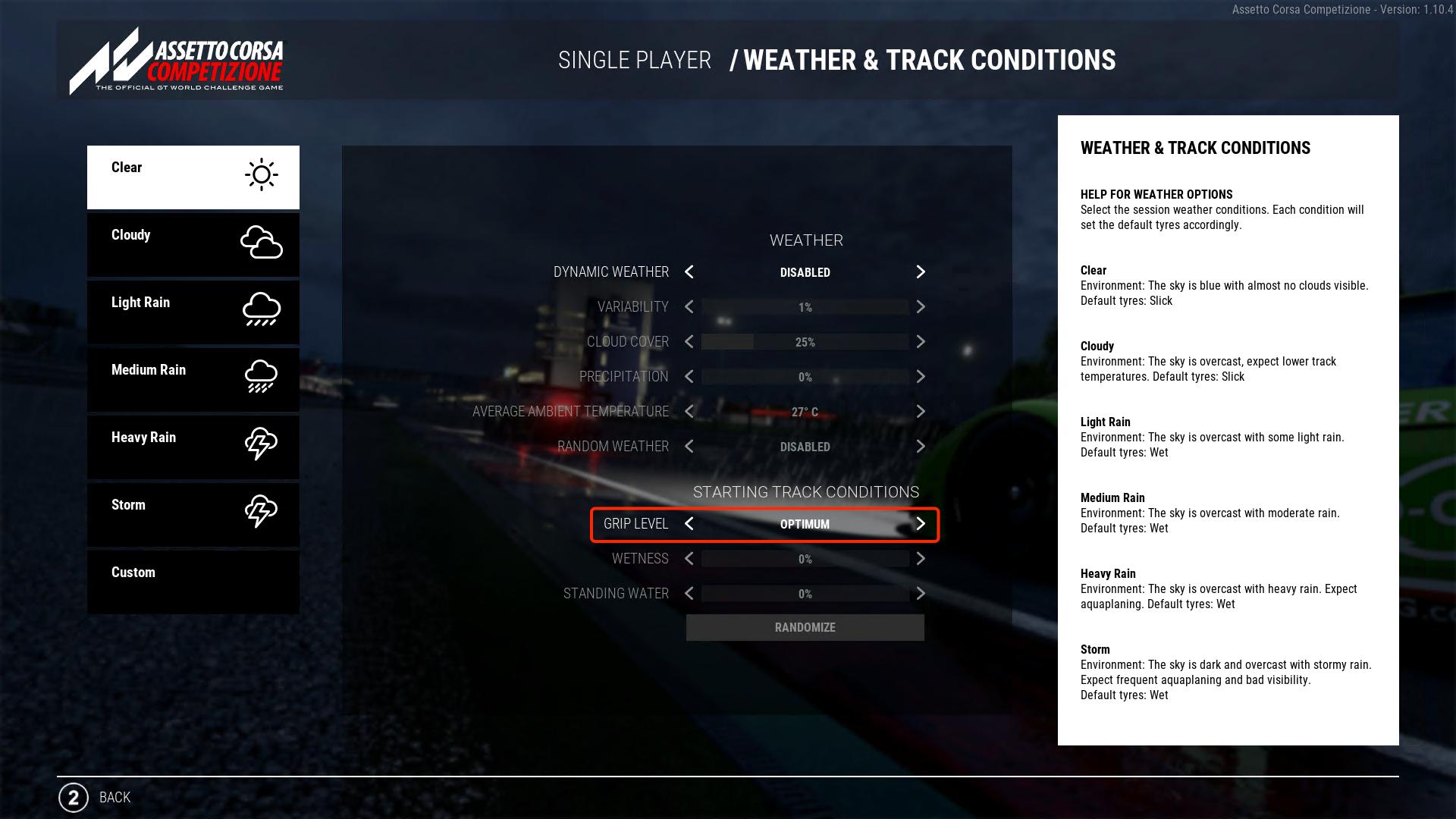
5. Set the weather to Clear or Cloudy, and set Track Grip to Optimum.
6. Leave TC and ABS at their default values; do not adjust them after entering the session.
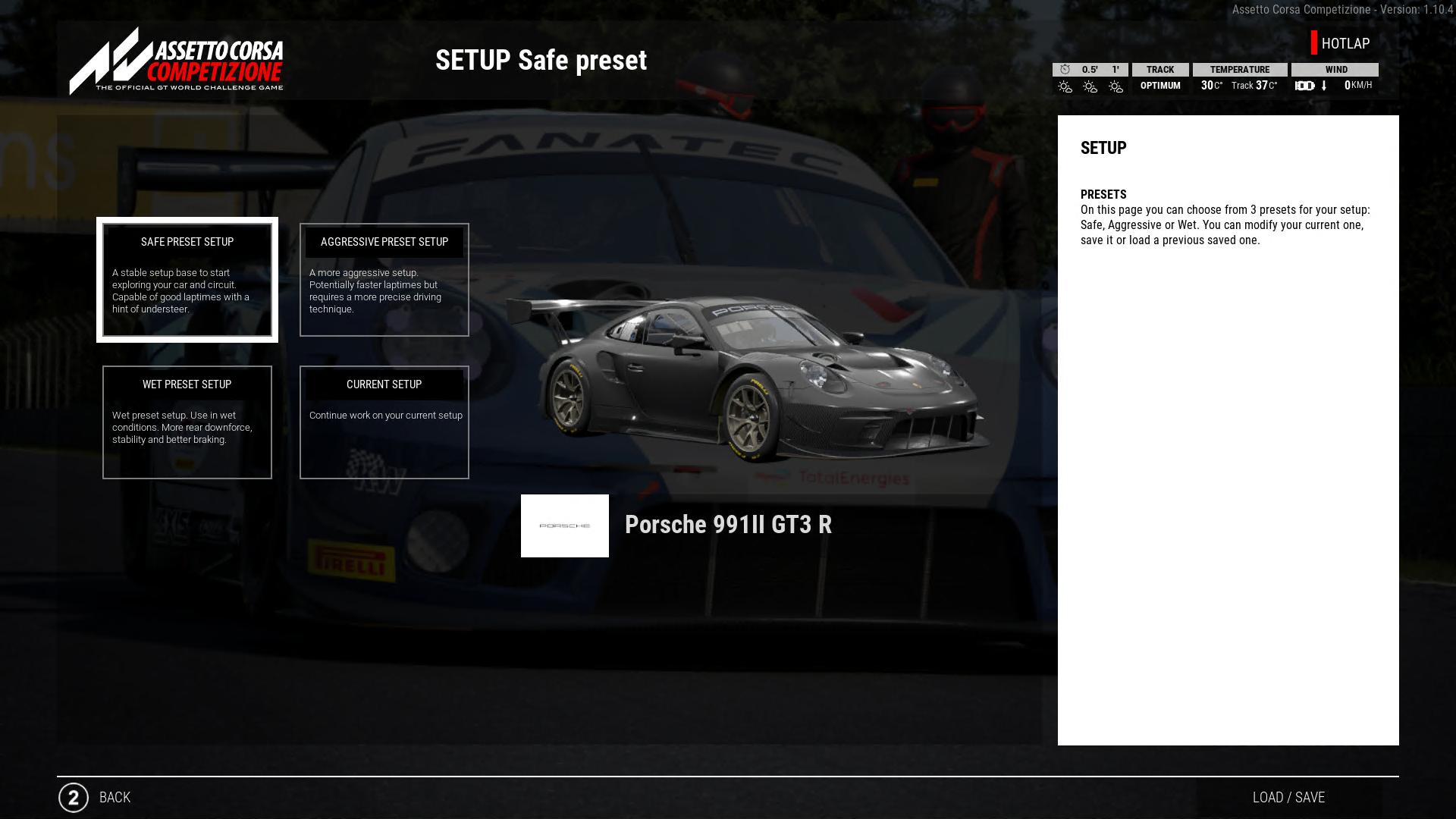
7. Use the Safe preset for the car setup.
After completing the settings above, open Racing Lab from the Racing Lab page in Pit House. In the standalone Racing Lab window, select the second item in the left sidebar, Free Practice. Launch AC or ACC, choose a currently supported track and car, and enter the session. Then enable the AI Driving Assistant using the toggle in the upper-right corner of the Racing Lab window.
General Notes:
1. AI Driving cannot currently drive the car out of the pit lane. Make sure the car is already on track before enabling it.
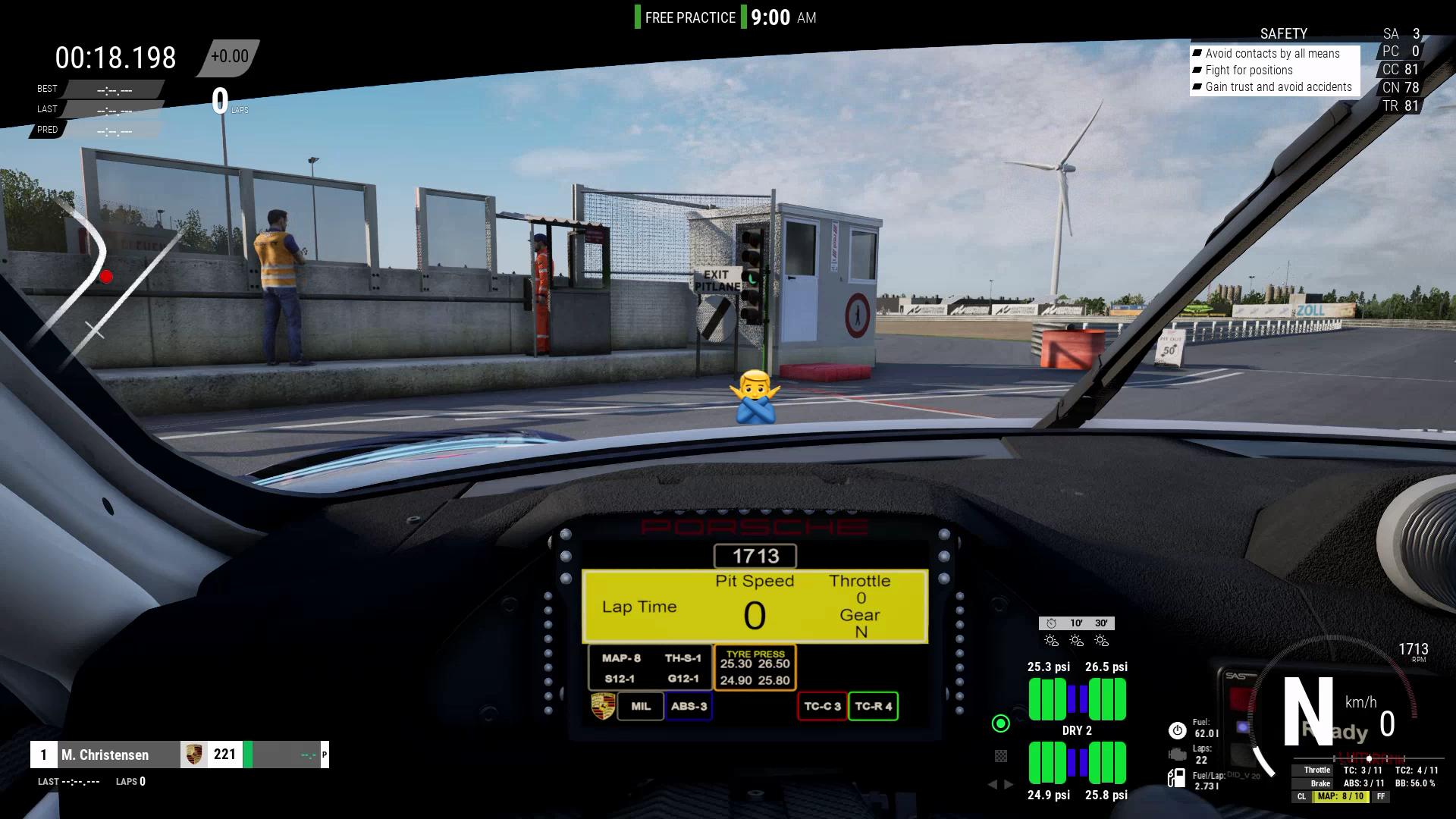
2. AI Driving can recover from some mistakes. However, if the car goes too far off track, the AI may be unable to return to the circuit. Disable AI control and drive the car back manually, or restart the session.
3. Exercise caution when enabling or disabling AI Driving. The wheelbase may currently rotate suddenly with high torque during switching. This behavior will be optimized in a future firmware update.
Was this article helpful?
That’s Great!
Thank you for your feedback
Sorry! We couldn't be helpful
Thank you for your feedback
Feedback sent
We appreciate your effort and will try to fix the article