Game Configurations
Forza Horizon 6 - Telemetry Settings, Control Mapping & Setup Guide
1.Game Installation
It can be installed via official channels such as Steam. If you have performed a custom installation, you will need to specify the directory for Forza Horizon 6 in the Pit House game list.
2.Force Feedback Settings
All the MOZA Racing Wheelbases support Force Feedback
3. Telemetry Configuration
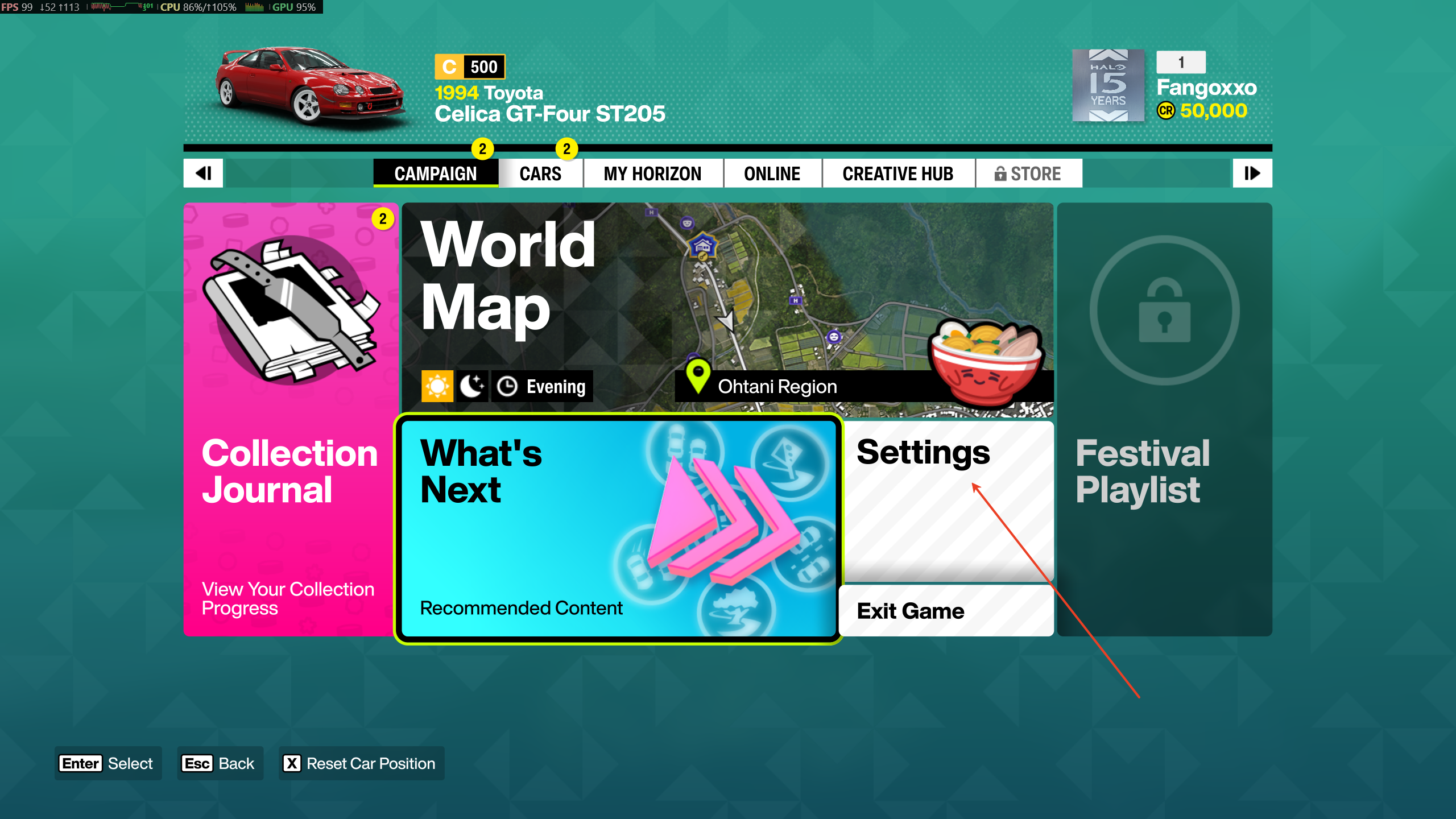
After entering the game, click ‘Settings’.
After entering the settings, click on ‘HUD & Gameplay’, turn to the bottom.
- Set ‘Data Out’ to ‘On’
- Set the ‘Data Out IP Address’ to ‘127.0.0.1’.
- Set the ‘Data Out IP Port’ to ‘20066’.
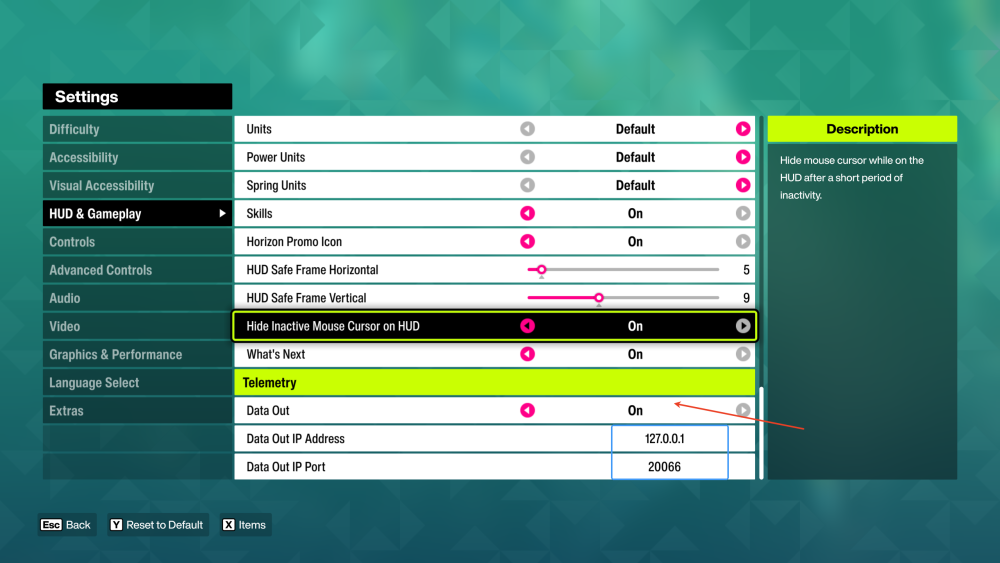
Once you have completed the above steps, you will be able to obtain telemetry data via the steering wheel speed indicator and the instrument panel.
4.Device Control Mapping
You will need to configure the control mapping when you launch the game for the first time.
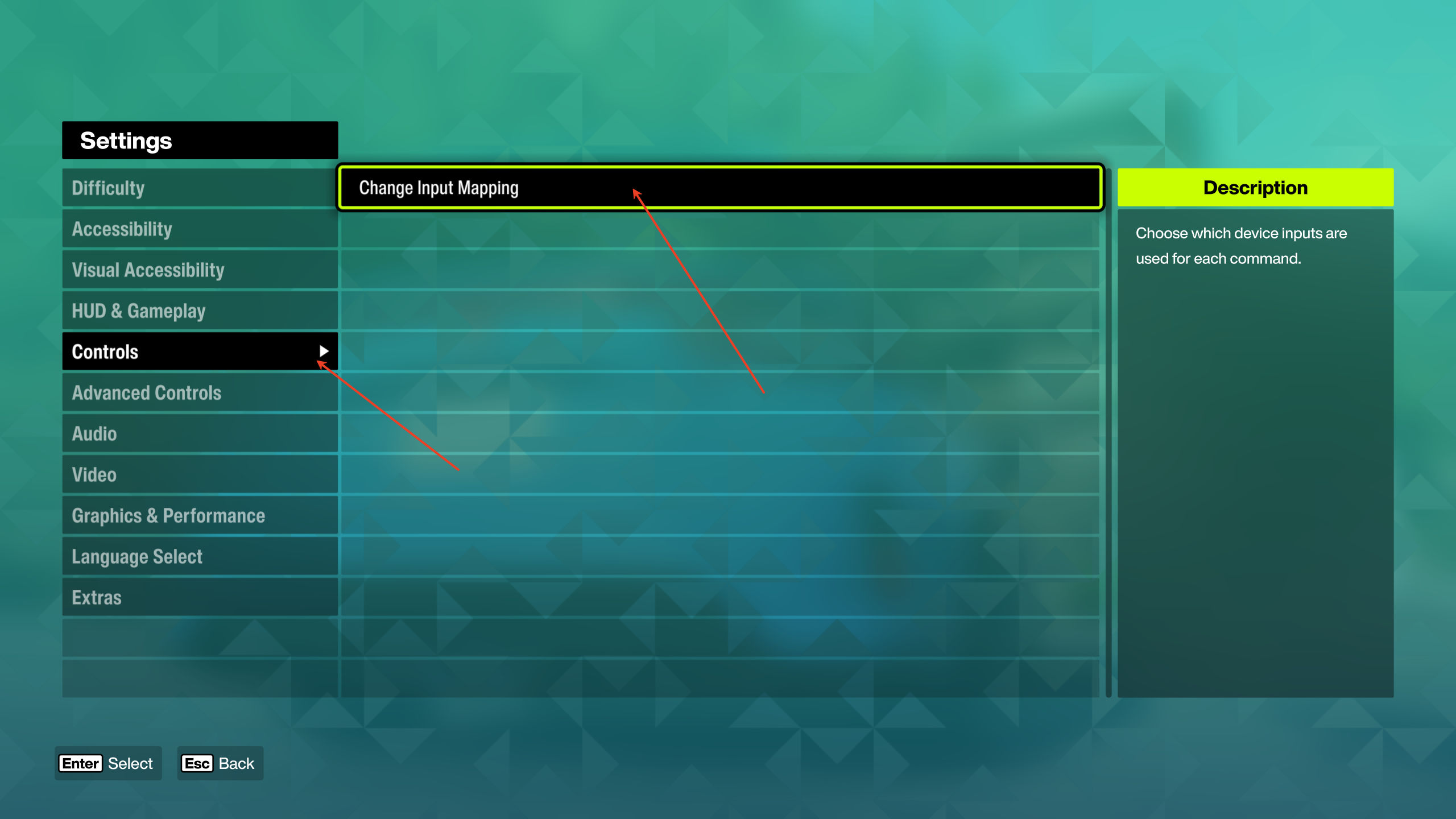
To enter the game, first click on 【Settings】to enter the Settings page. 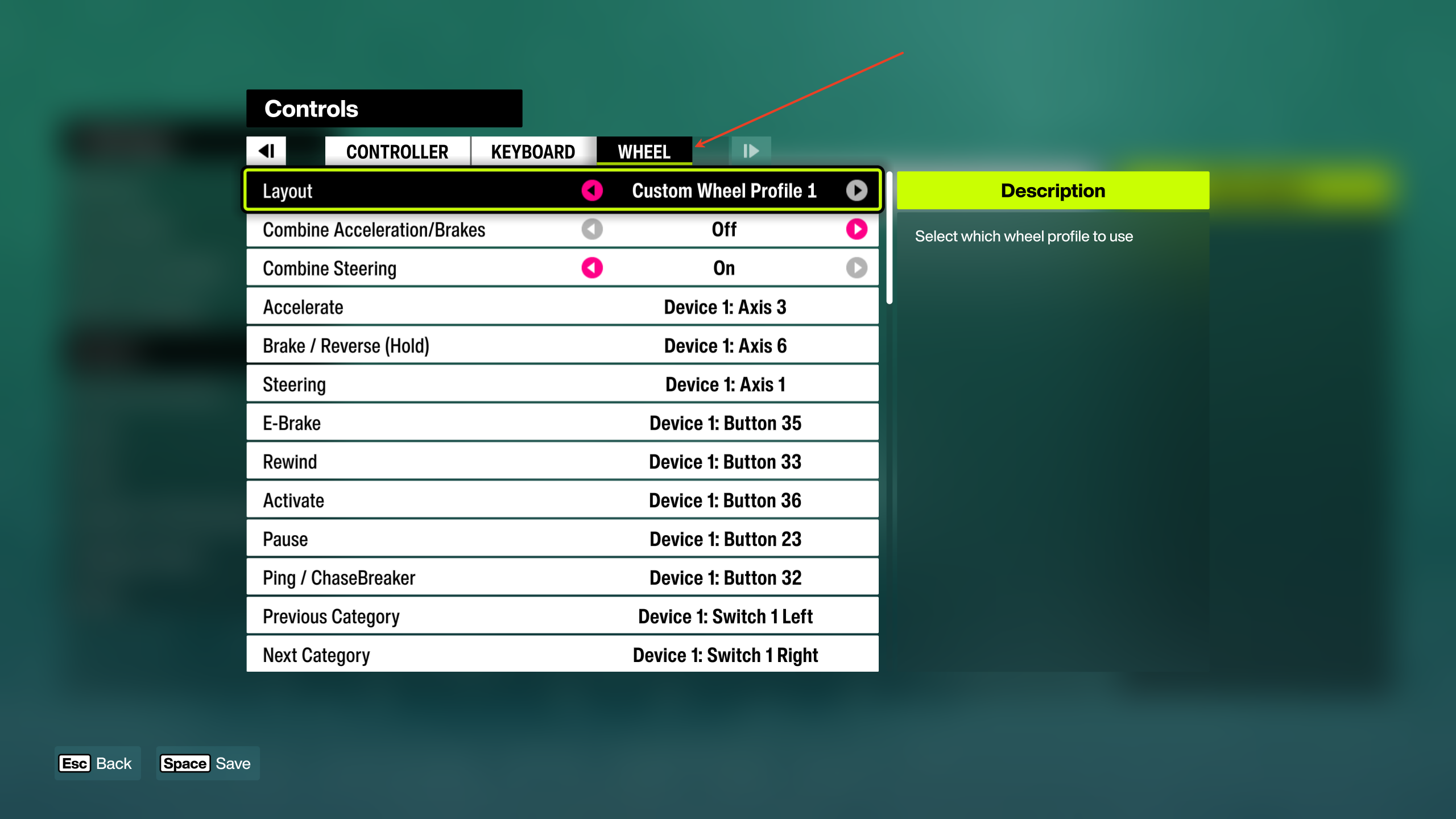
After entering the Settings page, click on 【Controls】, and Select 【Change Input Mapping】
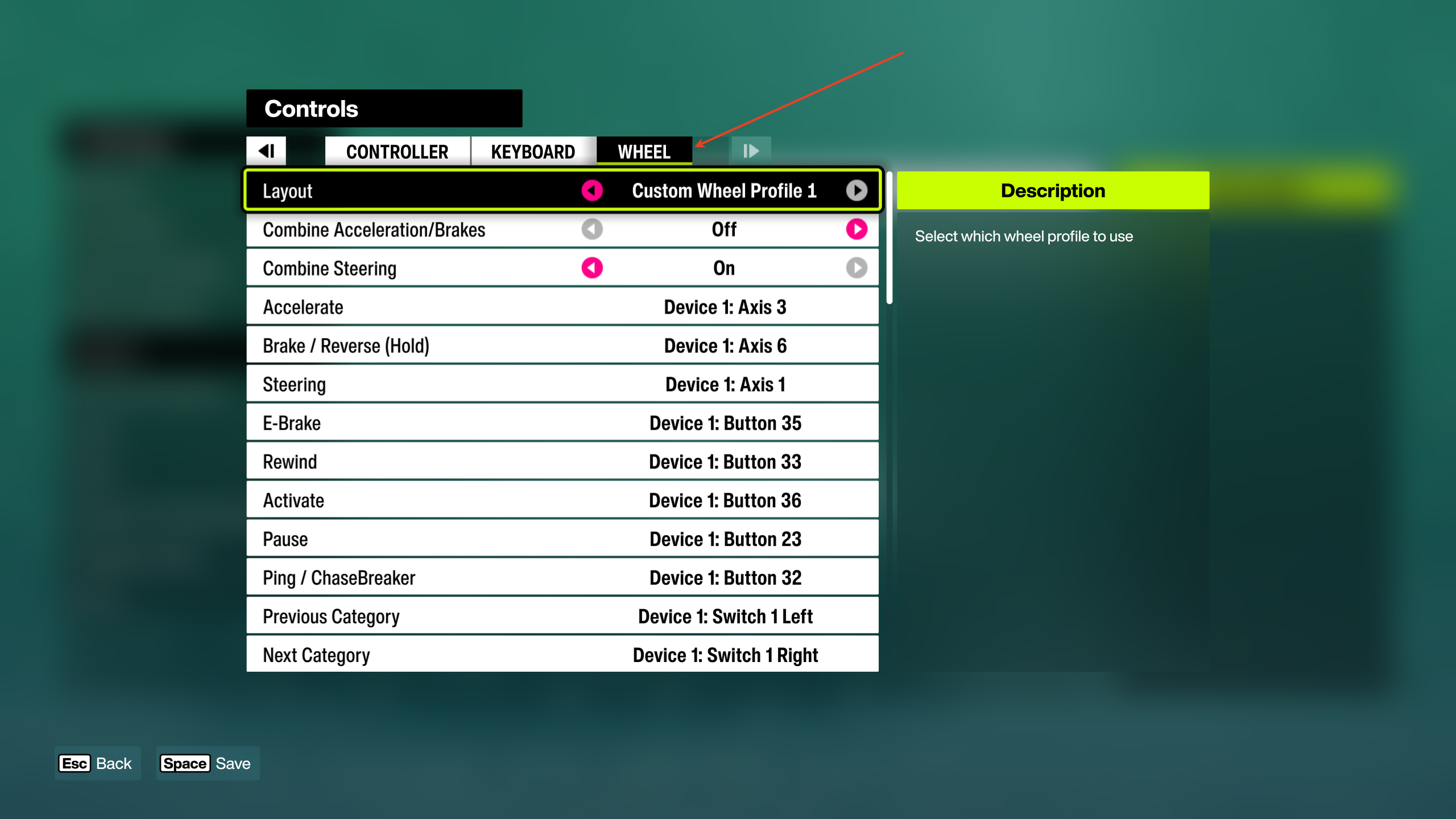
Note: Buttons displaying a yellow exclamation mark in the game interface UI must be bound; control presets will only be maintained once binding is complete.
Why is there no force feedback in Forza Horizon 6? Other games work fine.
If there is no force feedback when using the MOZA Base in “Forza Horizon 6”, you can troubleshoot in the following way:
1.Firstly, keep the steering wheelbase connected to the computer
Please disconnect the handbrake, shifter, pedals, third-party steering wheel and other peripherals first, leaving the MOZA base for the first binding.
2.Set the preferred device in Windows
Open the Windows Game Controller Settings, set MOZA Base as the preferred device, and then re-enter the game to bind the steering wheel.
3.Confirm that the MOZA Base in the game is “Device 1”
The Horizon series typically outputs force feedback to “Device 1”, and it is necessary to confirm the binding in the game control.
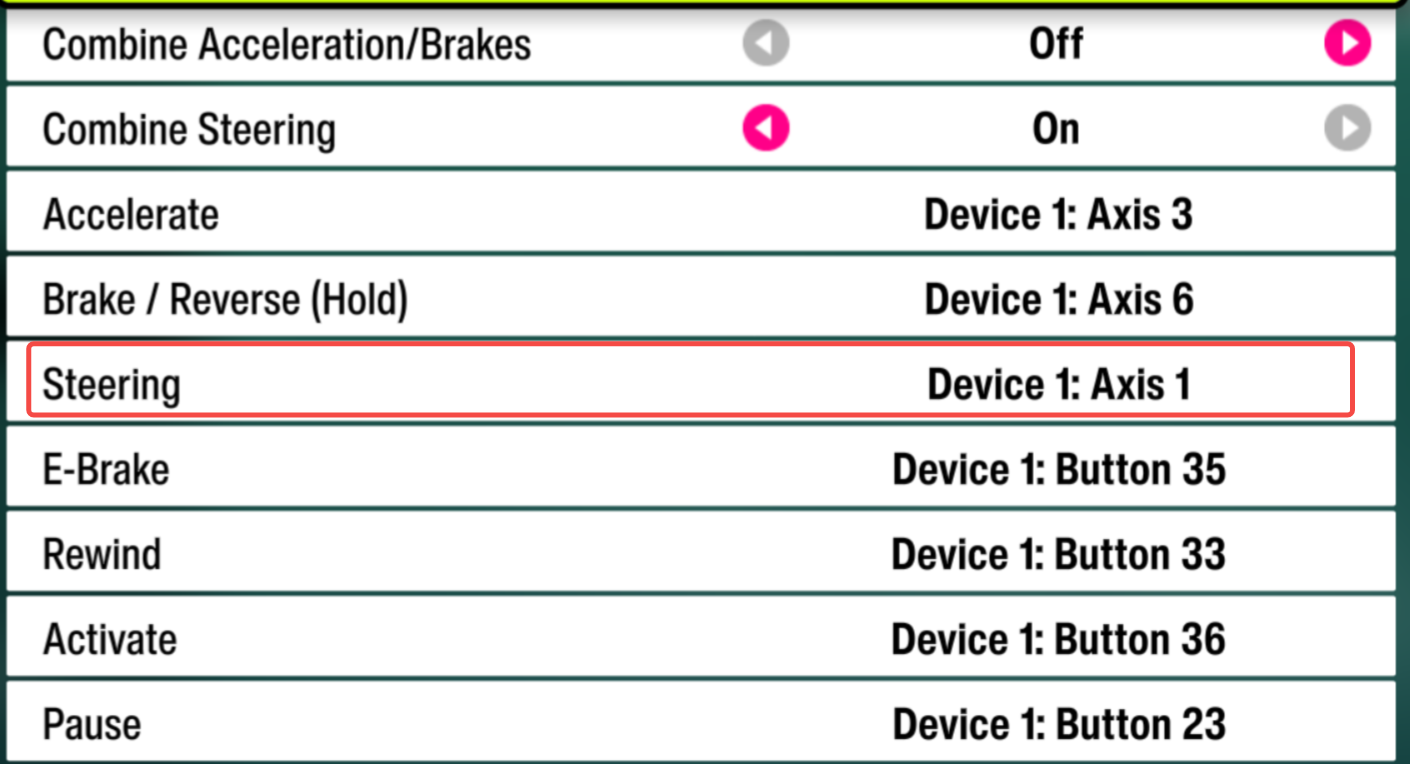
4.After completing the Base binding, connect the other devices one by one.
The suggested sequence is: first, binding the base → confirm the force feedback → then connect the handbrake/shifter and other accessories → rebind one by one.
Need help? Contact MOZA Support
Was this article helpful?
That’s Great!
Thank you for your feedback
Sorry! We couldn't be helpful
Thank you for your feedback
Feedback sent
We appreciate your effort and will try to fix the article